High Quality OEM/ODM LED Strip Manufacturer

High Quality OEM/ODM LED Strip Manufacturer
Published: April 28, 2024 2864
A 2-pin LED strip and a 4-pin LED strip are designed for different types of control. The pin count is not simply a quality or power rating: it tells you how electrical power is distributed to the LED channels. Matching the strip to the correct controller and connector prevents wiring errors and damaged components.
A standard 2-pin strip is normally a single-color or single-CCT product with one positive and one negative connection. A conventional 4-pin RGB strip usually has one shared positive connection and three separate negative channels for red, green and blue. The controller creates colors by varying those three channels.
Importantly, the four conductors on a traditional analog RGB strip are not normally two power wires and two data wires. That description applies to some digital products, but it is not the standard 4-pin RGB arrangement.
The pads are commonly marked + and −. When connected to a compatible constant-voltage supply, all LEDs on that circuit operate together. Brightness control requires a suitable PWM dimmer between the power supply and strip. Typical uses include under-cabinet lighting, coves, shelves and task lighting.
The pads are commonly marked +, R, G and B. An RGB controller switches the three color returns independently. Mixing red, green and blue produces a range of colors, but every LED section along the strip displays the same color at the same time. Explore standard RGB LED strip products when this type of synchronized color control is required.
Some tunable-white strips use three wires, RGBW strips commonly use five, and addressable strips may use three or four conductors for power, ground, data and sometimes clock. Always read the pad labels and product specification. Also confirm the operating voltage; a 12V controller does not make a 5V strip safe to use at 12V.
If the pad labels or IC type are unclear, send a close photo and the required control effect to ZBL Lighting before selecting a controller.
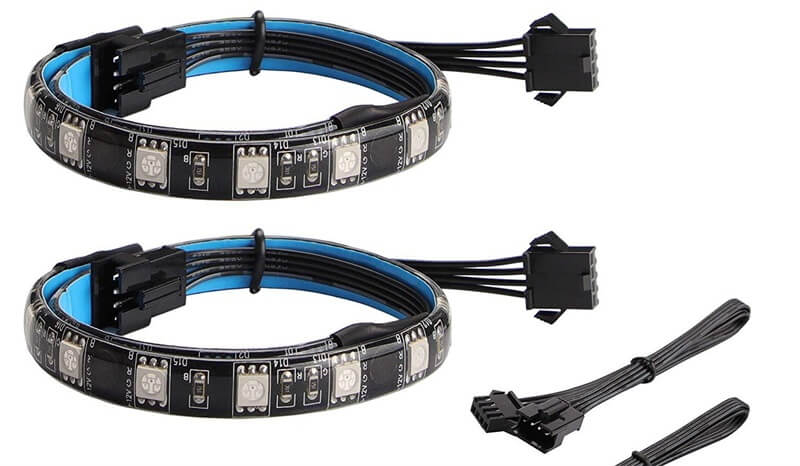
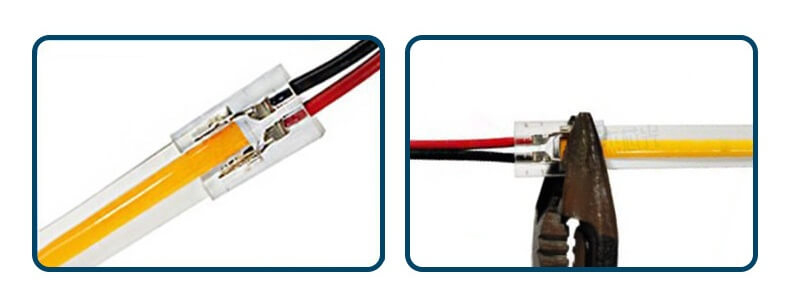
See our RGB LED strip wiring options and match the strip type with the correct connector and controller.
Need professional help? Contact our team for expert support and personalized solutions. We’re here to assist you. Contact Us
PROJECT & OEM ENQUIRIES
Describe the application and the result you need. Our team will review the electrical, optical and mechanical requirements before recommending a product or sample.
Fields marked * are required. Share what is available—we can help clarify the rest.



Mobile:+86 18923408595
Email:info@zbl-lighting.com
Zip Code: 518106
Xinwei Fourth Industrial Zone, Gongming Subdistrict, Guangming District, Shenzhen, Guangdong, China